- 0 Item(s) in your cart.
Utah Draw Application System
In 2024, a comprehensive and competitive Request for Proposal (RFP) process was initiated and successfully concluded for the draw contract. This rigorous evaluation led to the selection and awarding of the contract to a new draw company, signifying a significant step forward in optimizing and modernizing the application system.
Introducing the all-in-one Utah Draw Application
The highly anticipated Utah draw application platform was launched in September 2025. This innovative system has been meticulously designed as an all-in-one solution, aiming to streamline and simplify the entire draw process for all users. The goal is to provide a more intuitive and efficient experience for hunters and applicants.
The Utah Draw System has:
The Utah draw application has enhanced features to empower users and give them greater control over their applications. Some of those features include:
- Seamless application submission: Applicants can easily submit their draw applications directly through the platform.
- Real-time point and eligibility tracking: Hunters can conveniently check their accumulated points and verify their eligibility for various draws, providing greater transparency for applicants.
- Flexible payment management: The platform allows hunters to manage their payment settings, making it easier to update payment information and complete transactions securely.
- Hunt choice editing: Applicants will have the ability to edit their hunt choices, offering flexibility and ensuring their preferences are accurately reflected.
- Interactive Draw Odds: Prospective hunters will be able to access draw odds with multiple filtering capabilities and export options.
Who is the draw contractor?
The contractor for the Utah draw applications is Aspira, a company based in Dallas, Texas. They are the leading provider of big game draw management services in the Western U.S., with dedicated clients nationwide, including wildlife agencies in New Jersey, Connecticut, Colorado, California and the Canadian provinces of Alberta, Saskatchewan and Manitoba.
Using the Utah draw system
This page provides you with simple instructions on how to log into the system and provide you with guidance on how to update your profile, check your draw eligibility & application history and much more. You can browse this whole page or jump to specific sections using the links below.
Frequently Asked Questions
- How do I log in to the system?
- What can I do in the “Edit Profile” tab?
- What does it mean if the system asks me to "agree to receive SMS notifications"?
- Where can I view my points and eligibility?
- Application history tab: A comprehensive overview of hunt applications
- What does the “View/Edit/Withdrawal” tab do?
- Understanding and managing payment settings
- What’s in the “Communications Tab”?
- “Draw Odds” tab: A new interactive experience
- “Harvest Reporting” tab
- How do I apply?
- How do I apply as a group?
- How do I edit my application?
- What if I need help?
How do I log in to the system?
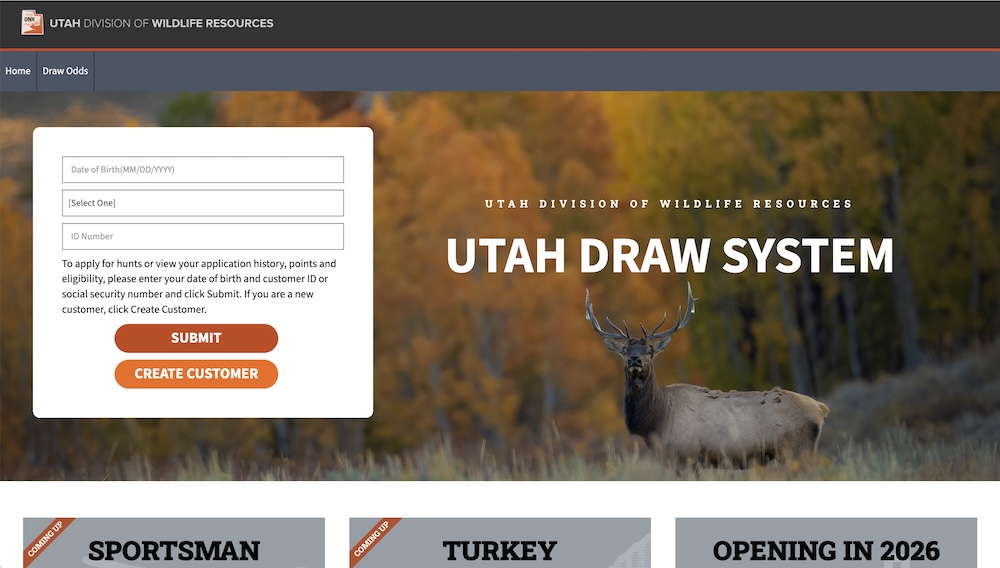
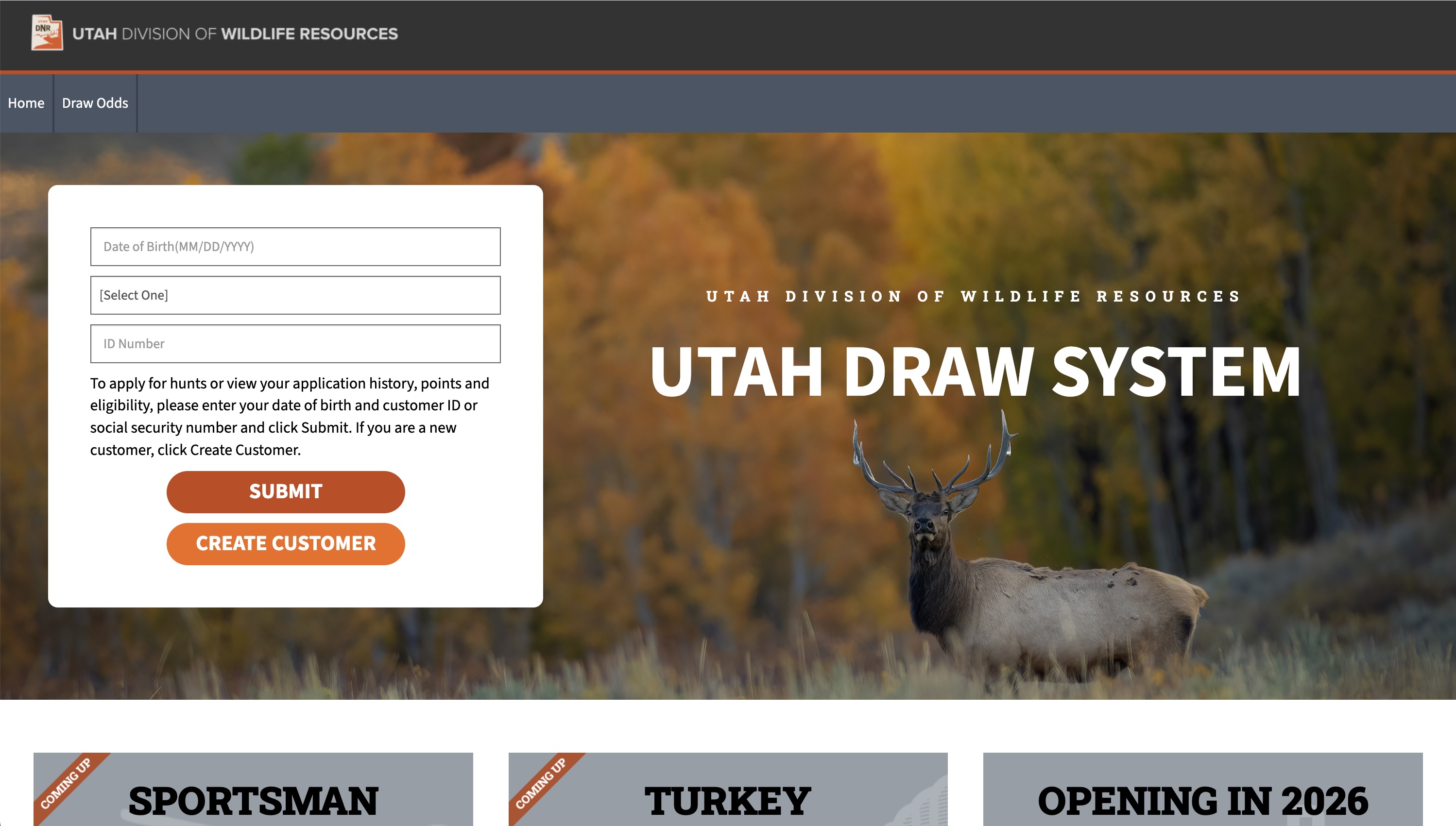
The system — available at https://utahdraws.com — offers a streamlined and user-friendly experience for managing your applications. To access your account, you have two convenient login options:
- Use your Utah DWR customer ID in conjunction with your date of birth
- Use your social security number along with your date of birth
This dual-option approach ensures flexibility and ease of access for all users.
Upon logging in, the system is designed to immediately present you with the most relevant information. You will be able to see if there’s an application currently open, as well as upcoming application periods. This sequential presentation ensures that you are consistently well-informed about pertinent deadlines and opportunities, better helping you to plan and submit your applications before the deadlines.
-
Click image to zoom
What can I do in the “Edit Profile” tab?
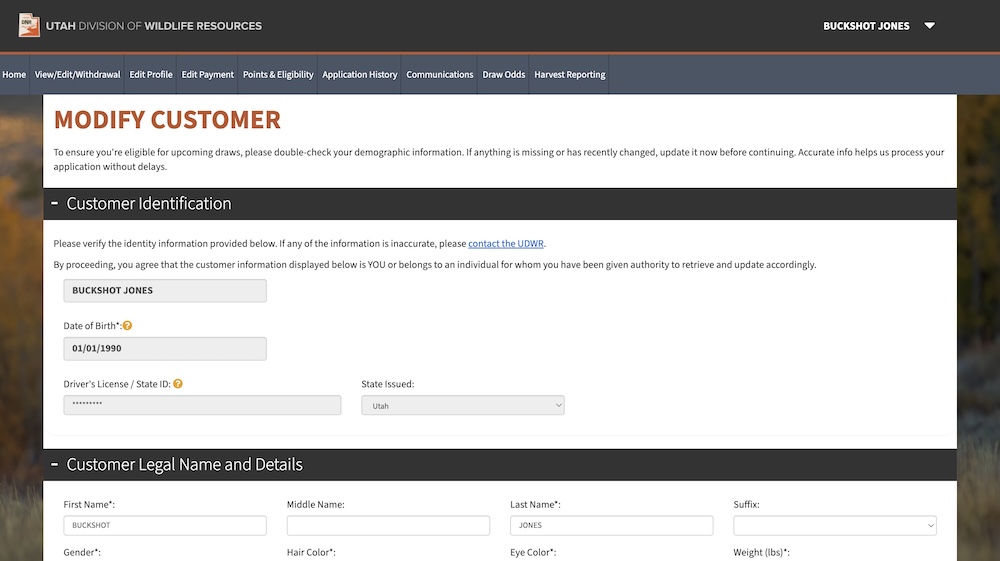
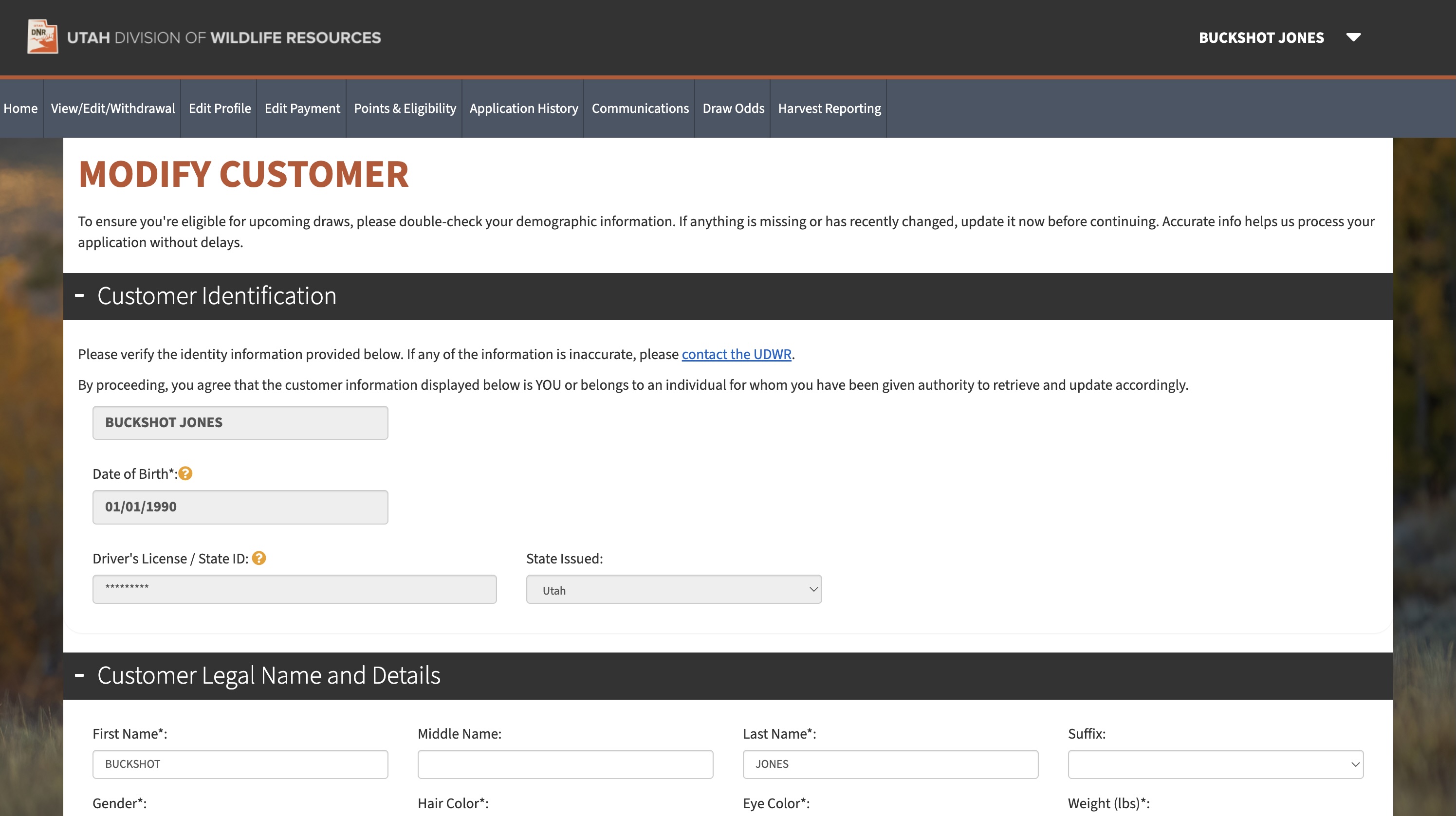
While most personal data can be adjusted by the user, certain sensitive identifiers are restricted from editing for security and verification purposes. These protected fields include an individual's date of birth, and driver's license number. Should any discrepancies or inaccuracies be noted in these specific fields, you should directly contact one of our division offices. Trained DWR staff are equipped to provide the necessary assistance to ensure that any updates to these critical identifiers are handled securely and accurately, maintaining the integrity of your personal records.
-
Click image to zoom
What does it mean if the system asks me to "agree to receive SMS notifications"?
As part of the updates, a communication feature enables DWR to send text messages to customers regarding draw-related issues. This is an optional feature designed to provide more timely and direct updates, such as payments being declined for a permit.
When you see the “I agree to receive SMS notifications” option, you will be prompted to either opt-in or opt-out of receiving these text messages. You can make this choice by selecting the checkbox to receive texts or de-selecting the checkbox to decline them.
Your contact information, including phone numbers, will be used solely by the DWR for official communications related to draws and will not be shared, sold or distributed to any third-party entities.
Where can I view my points and eligibility?
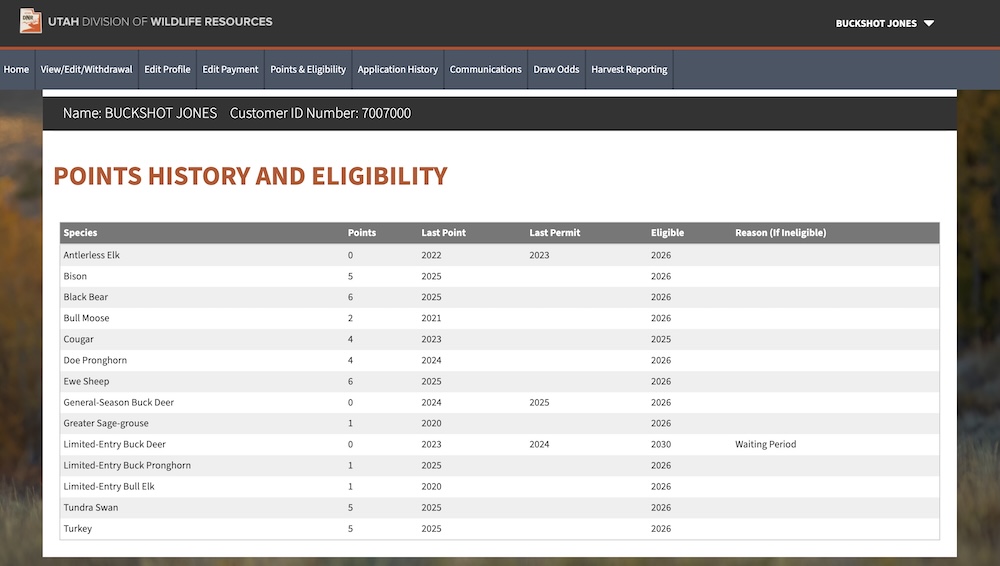
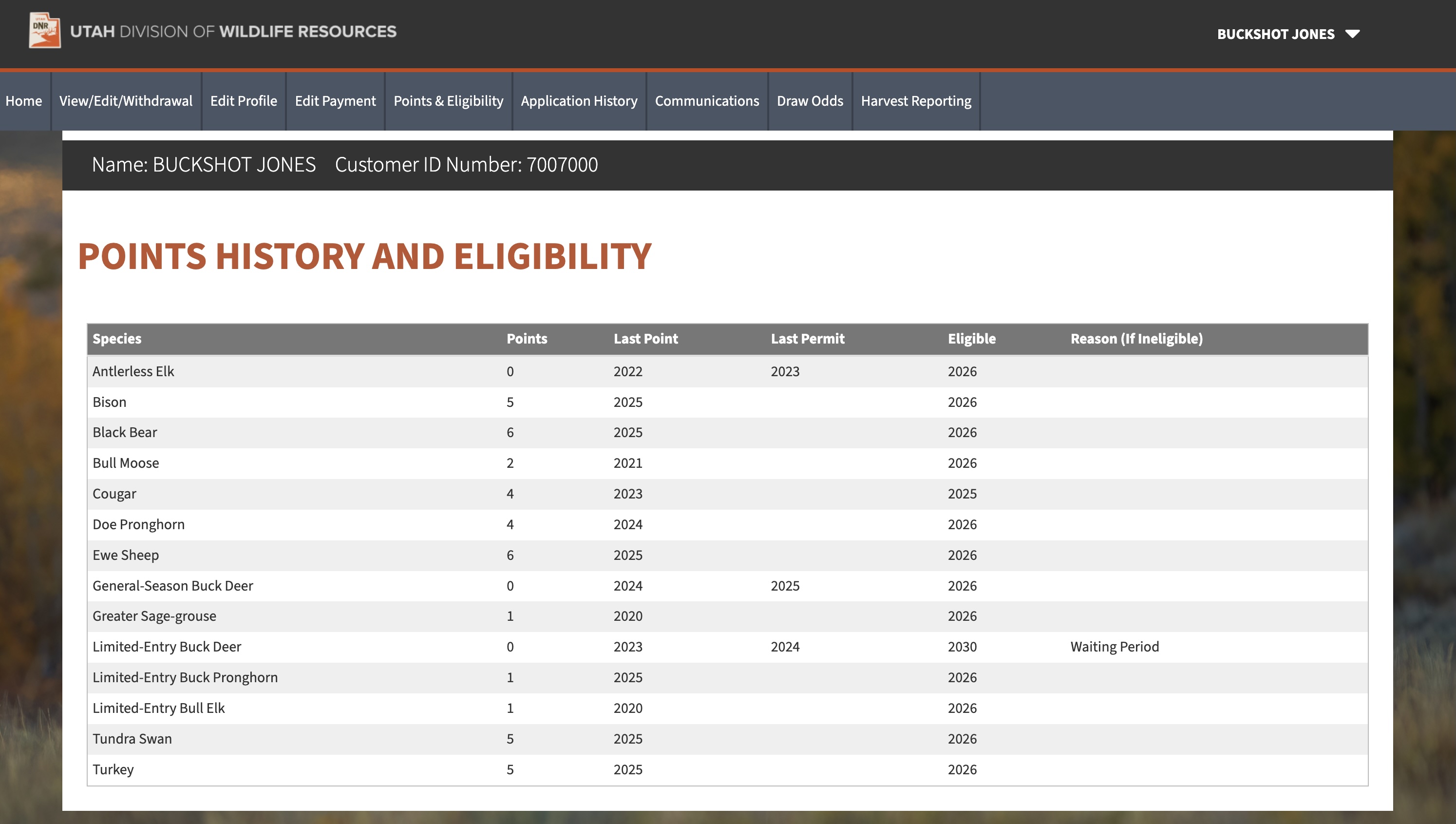
When you access this tab, a comprehensive overview of your points history and eligibility will be displayed. This section is designed to provide you with detailed insights into your current standing for various hunting opportunities.
You will be able to clearly see which species you have accumulated points for, which is crucial to understanding your potential for drawing permits in future application periods. The system will also indicate if you are currently ineligible to apply for a particular species and why. This transparency helps you understand any restrictions so you can plan accordingly for future applications.
This page also serves as a valuable historical record, detailing the last year you successfully obtained a permit for each specific species. This information can be helpful for tracking your past success rates and understanding the typical intervals between successful permit draws. By consolidating all this information in one convenient location, the "Points & Eligibility" tab empowers you to make informed decisions regarding your hunting applications and to help manage your expectations.
-
Click image to zoom
Application history tab: A comprehensive overview of hunt applications
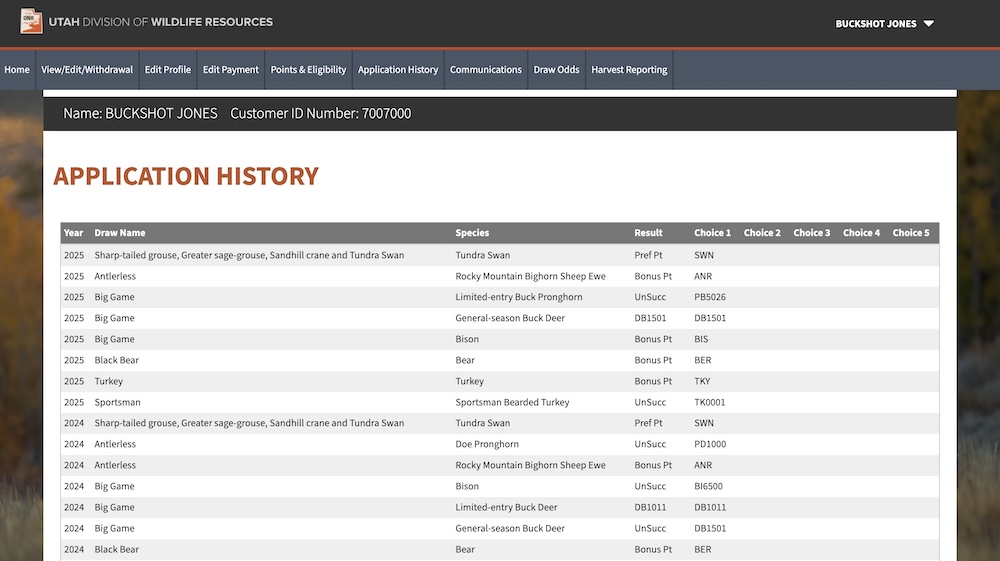
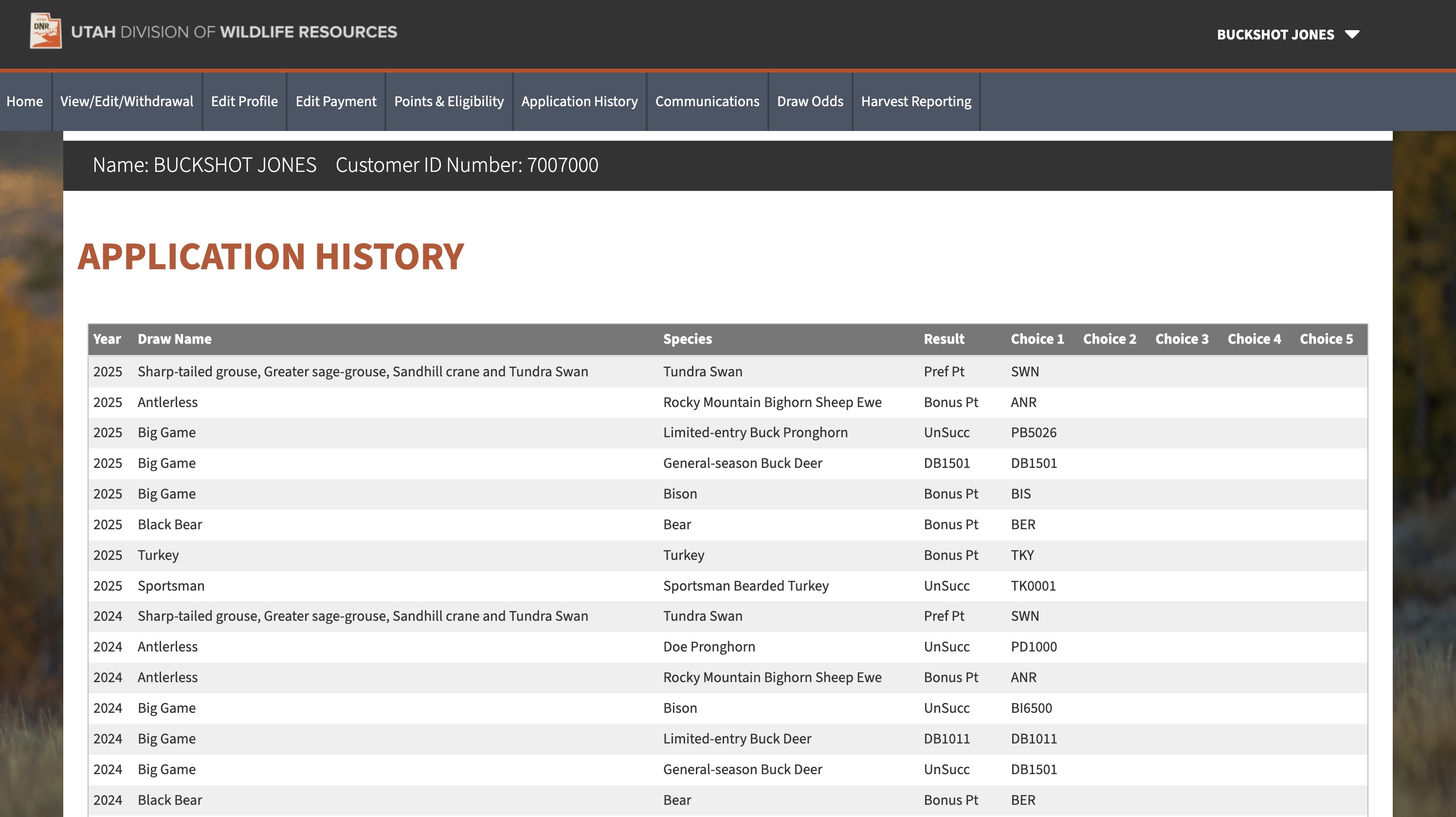
The “Application History” tab serves as a centralized location for all your past hunting applications, providing a detailed and easily accessible record of your participation in various hunts over the years.
Within this tab, you can examine every application you've submitted. Whether your application was successful or unsuccessful, you'll find the results for each application.
You will be able to view the specific species, units and how many hunt choices you applied for, allowing you to analyze past strategies and better inform future application decisions.
-
Click image to zoom
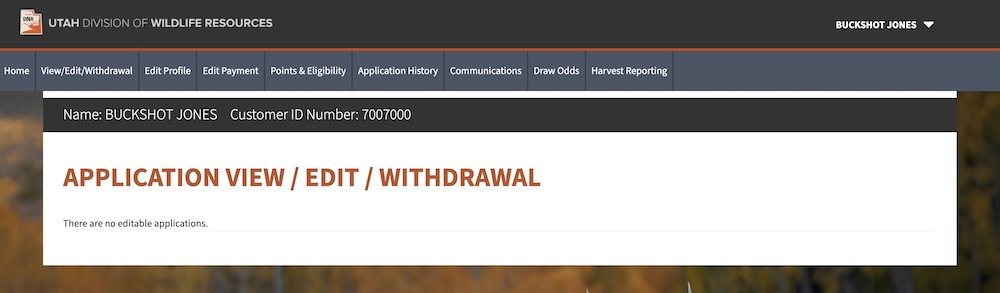
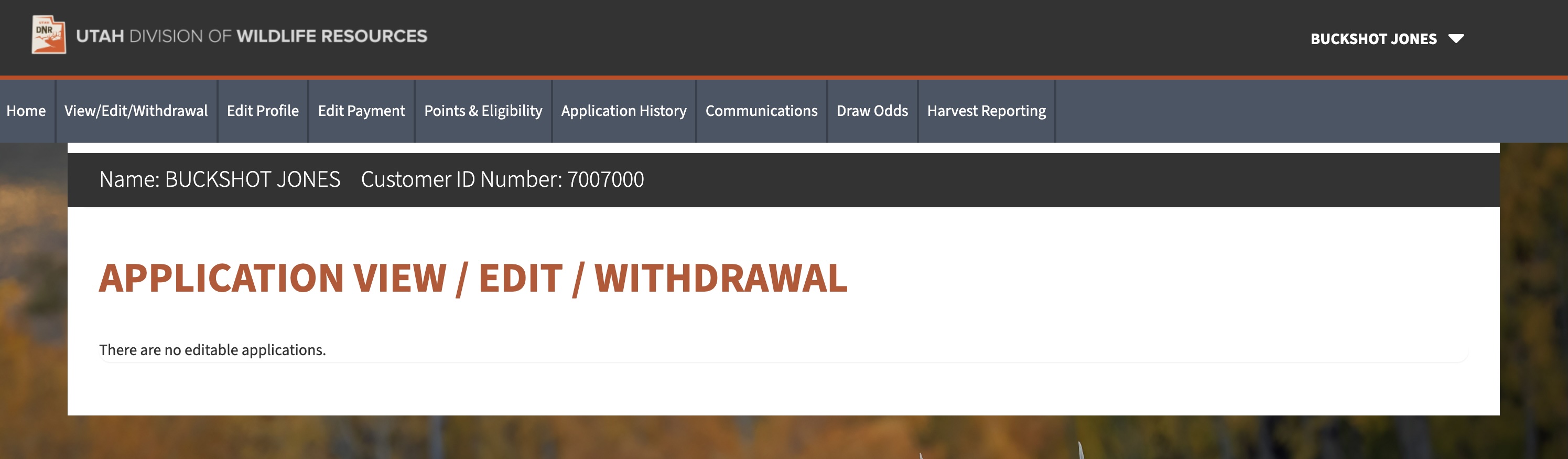
What does the “View/Edit/Withdrawal” tab do?
This feature offers a complete and detailed overview of applications that you have submitted during a particular application period. Within this tab, you will be able to locate your unique "Group Code," which is essential for identifying and managing your application group. You can also readily view all members associated with your specific group, if you have applied as part of a group. For individuals who have submitted a single application, this feature also provides the option to actively join an existing group.
You have the ability to withdraw your application entirely, should your plans change. Additionally, you can edit your hunt choices, allowing for flexibility and adjustment based on evolving preferences or conditions. It is important to note, however, that selecting the option to withdraw your application will result in the forfeiture of your application fee, as refunds are not provided in such instances. This functionality ensures you have full transparency and control over your application status and choices.
-
Click image to zoom
Understanding and managing payment settings
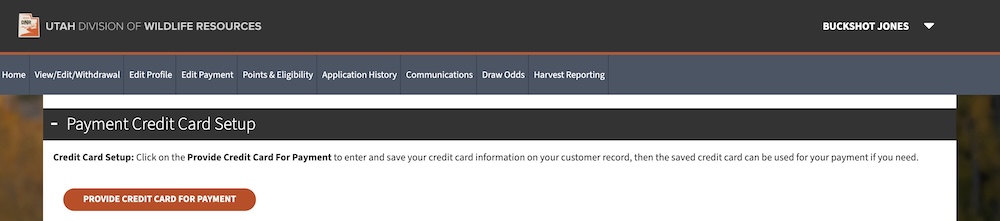
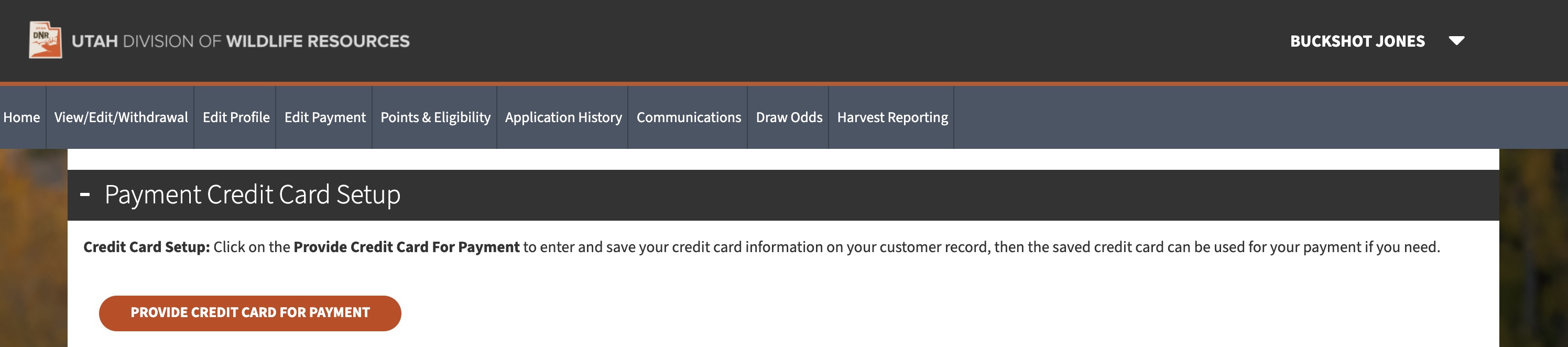
The "Edit Payment" tab within this system offers a convenient and secure way to manage your credit card information for all future application processing. This feature streamlines the payment process, ensuring a smooth experience for users each application period.
How your credit card information is stored:
Upon the successful submission of your first draw application, your payment method will be automatically saved to your customer profile. This one-time action sets up your account for future transactions, eliminating the need to re-enter your information for each new application.
Updating your payment information:
We understand that credit card details can change. To accommodate this, the system allows you to update your stored credit card information at any time. Simply navigate to the "Edit Payment Settings" tab and follow the prompts to modify your payment information. It's important to keep this information current to avoid any disruptions in the application process.
Why credit card information cannot be removed:
A key security and operational feature of this system is that once your credit card information is stored, it cannot be completely removed from your profile. This is part of the system design to ensure a seamless and guaranteed payment method for permit fees, particularly in the event that you are successful in a drawing. The design minimizes the risk of outstanding payments and ensures that permits can be promptly issued to successful applicants.
-
Click image to zoom
What’s in the “Communications Tab”?
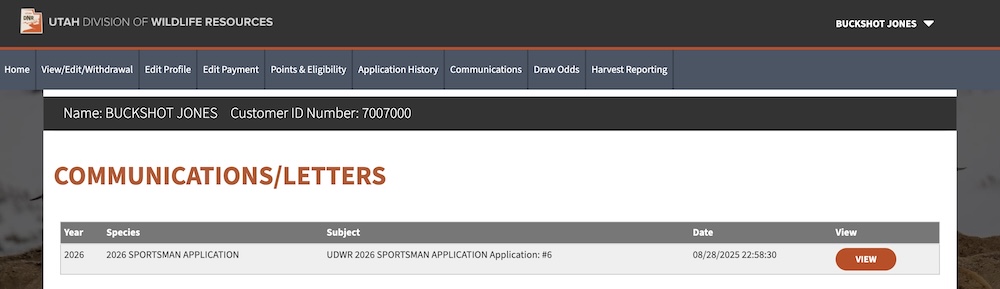
The “Communications” tab is a great resource for all the correspondence pertaining to your applications. Within this tab, you will find a comprehensive record of every email and notification sent regarding each application period. This includes, but is not limited to:
- Official application confirmation emails
- Results emails
- Changes to your application confirmation notifications
This tab ensures that you can easily access and review all past interactions, providing all critical draw-related information in one place.
-
Click image to zoom
“Draw Odds” tab: A new interactive experience
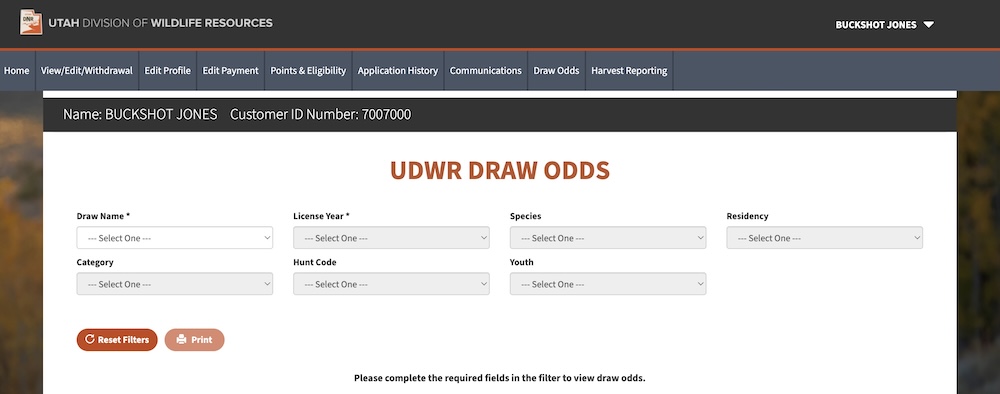
The system also provides significant enhancements to how you can view and analyze draw odds. Rather than displaying static PDF documents, the system offers a dynamic and interactive online platform, designed to provide you with a more efficient and insightful experience.
Key features of the new draw odds webpage:
- Real-time access: As soon as draw results are officially released to the public, the draw odds will be immediately accessible on the interactive webpage. This eliminates any delay and ensures you have the most up-to-date information.
- Intuitive filtering capabilities: The platform allows you to refine your search with precision. You can easily filter draw odds down to specific hunt numbers, allowing you to quickly locate and analyze the information most relevant to your interests. This granular control streamlines the research process, saving you time and effort.
- User-friendly interface: The interactive website has been developed with a focus on user experience. Its intuitive design makes navigation straightforward, ensuring that even first-time users can efficiently access and interpret the data.
- Printable PDF option: While static PDF documents of draw odds will no longer be posted online, the interactive platform still provides the option of printing out a PDF of your personalized search results. This allows you to review and analyze the data offline.
-
Click image to zoom
“Harvest Reporting” tab
To streamline the mandatory harvest reporting process, a direct and easily accessible link will open the DWR harvest report webpage in a new browser tab. This new feature aims to simplify compliance for all hunters, ensuring that required reports can be submitted easily and efficiently.
-
Click image to zoom
How do I apply?
- Visit Utahdraws.com and enter your date of birth and Customer ID (or social security number if it is on file), then click “Submit”
- If you are a new customer, select “Create Customer” and follow the prompts to create an account
- Click the “Apply Now” button next to an open application
- Proceed through the following pages:
Residency Status:- Select your current residency as of today’s date
- If Resident is selected, enter years and months of residency length
- If you have a military or educational exception, you will be able to select one of those for your residency
- If you are unsure if you are a resident or nonresident, click here
License Purchase: (if applicable)- If you don’t have a valid (and required) hunting or combination license, you will be able to add one to your cart from this page
Hunter Education: (if applicable)- You will be prompted to complete this section only if your hunter education is not on file
- You will need to attest whether or not you have completed hunter education - as this is required to apply
- If you are a Utah resident and need to transfer your hunter education from another state, you can complete a transfer affidavit here
Third Party Opt-in:- If you want to share your name, address and species you applied for with third-party entities (such as outfitters, guides, businesses, etc.) then you can opt-in to be added to this list
- By default, the “Opt-out” button will be selected
Weapon Use Advisory:- You must attest that you are allowed to possess firearms according to Utah State Code
Advisory Page: (if applicable)- This page will list any big changes or important information related to the hunts and species within the application
- Following the pages above, you’ll be taken to the Species Selection page
- This is where you’ll be able to choose which species you want to apply for
- Selecting a species will take you to the Hunt Selection page, where you can choose the specific hunts/seasons to apply for
- After selecting your hunts, click “Submit” at the bottom of the page; you will then be taken back to the Species Selection page
- After selecting any additional species, click “Continue and Add to Cart” at the bottom of the page to add all your hunt selections to your cart
- From here, you can either apply for additional hunters, or click “Continue to Checkout” to finalize your applications
Watch a video of the full application process below:
How do I apply as a group?
Method 1 - Add Hunters to your group using a Group Code
- Initial hunter submits their application(s), all the way through payment
- They receive a group code for each species they applied for
- They give the group code(s) to each hunter that will be joining their group
- Each hunter who wants to join the group logs into the app, selects the species they want to apply for and proceeds to the “Hunt Selection” page
- Enter the group code in the “Join a Group” box, selecting the same hunt choices as the initial hunter
- Click “Submit,” and then click “Continue And Add To Cart” to add the application to the cart
- Finally, once that hunter adds all hunts they want (including any other non-group applications), they will proceed to payment and submit their application(s), thus adding them to the group.
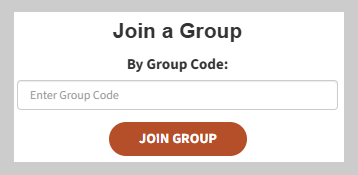
Watch a video of how to add hunters to a group using a group code:
Method 2: Add hunters to your group by using “Select In Cart” (New)
- Add application(s) for one hunter to your cart
- Switch to another hunter in the transaction and continue to the “Hunt Selection” page
- On the “Hunt Selection” page, choose the “Select in Cart” option under “Join a Group”
- Select the applicant who you want to join their group
- This will automatically select the same hunt choices as that group member
- Click “Submit,” and then click “Continue And Add To Cart”
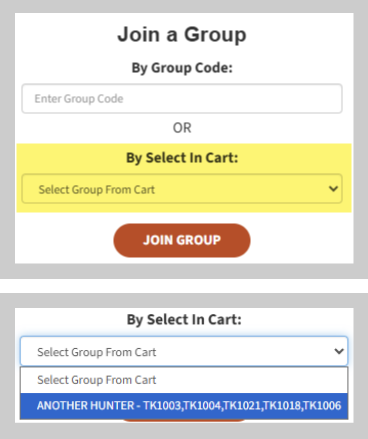
Watch a video of how to add hunters to a group using the "Select in Cart" feature:
Note: Sportsman, Black Bear, Once-in-a-Lifetime Big Game and Limited-entry Antlerless hunts do not allow group applications.
How do I edit my application?
If you need to make changes to your application, you can log back into UtahDraws.com anytime during the application period and select the “View/Edit/Withdrawal” button at the top of the page, or click “View/Edit” next to the “Apply Now” button. You’ll be able to see the applications you have submitted, change your hunt choices per species, join a group application or withdraw your application completely.
What if I need help?
If you experience any issues accessing the system or have questions, call the helpline at 1-855-883-7297 (1-855-UTDRAWS). The helpline is available Monday through Friday between 8 a.m. and 6 p.m. MT. During draw application periods, the helpline hours are extended Monday through Friday between 8 a.m. and 11:30 p.m. MT. The helpline is closed Thanksgiving Day, Christmas Day and New Year's Day.